Table des matières
Actions
 A1 proofreading not yet effective for this page. In the meantime, you can ask any questions on the forum.
Actions include everything you do internally in your company's activity: letters, telephone calls, appointments, etc.
They can be attached to any contact, and possibly to any project/task, and thus appear in the contact file, and/or in the project file.
List of actions
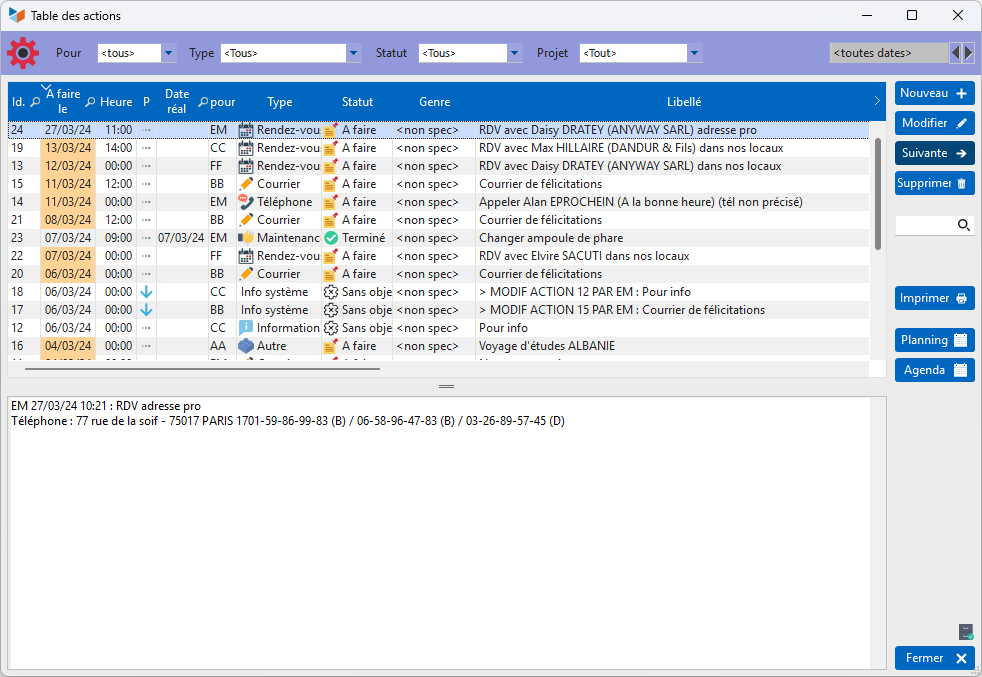
The actions list screen allows you to filter actions by user, type, project, status, and year.
You can select multiple actions at once.
The Process button opens the action processing history tracking screen, below. This screen allows you to record the different processing steps of the action.
Follow-up of the action processing steps
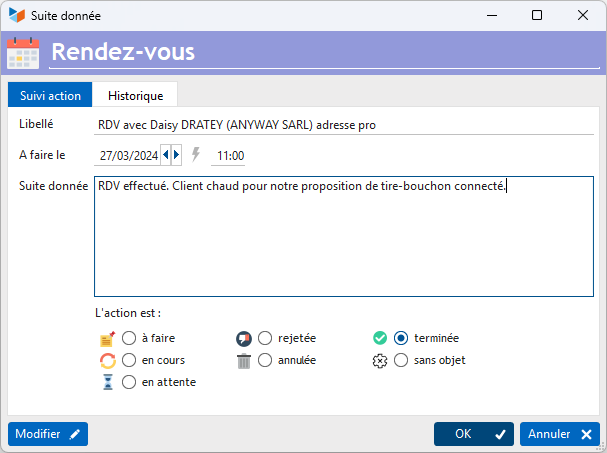
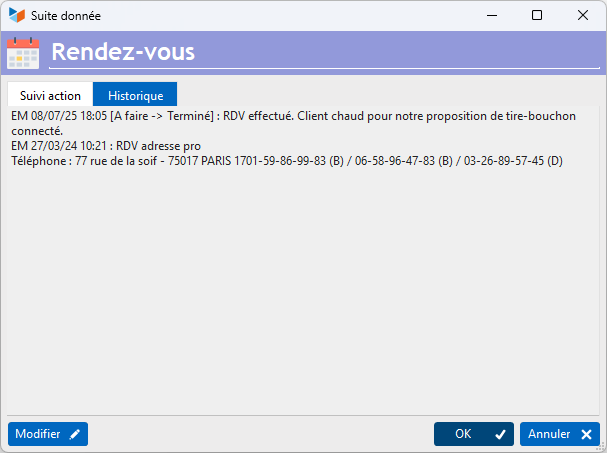
Above is an example of monitoring the Monthly account statement action.
Context menu
Here are the options available via the context menu:
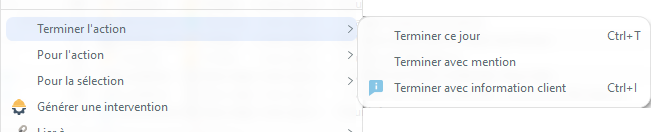
Complete action

- Finish with reason will move the action to the completed status (at the date/time of entry), indicating in the action comments, automatically, the reason for the termination.
- Finish with next action creates an action of the same type as the action you want to complete, then ends it.
- Finish with customer information will trigger the sending of the Operation completed message by email, then complete the action.
Action tracking
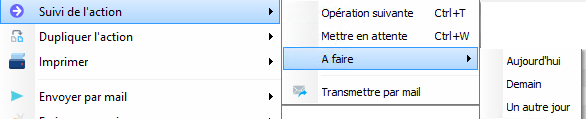
- Next operation opens the tracking screen (same as the Process button).
- Hold changes the action status to “pending” (noting the status change in the history)
- To do today, Tomorrow, or Another day only changes the To be done on date of the action
Generate an intervention sheet

You can, from the selected action, create an intervention sheet.
This sheet can be:
- or blank, in this case only the action data will be used to create the intervention sheet
- or, by copying the data from the last form can integrate into the comments, the comments recorded in the previous intervention form for the same contact.
The Action sheet
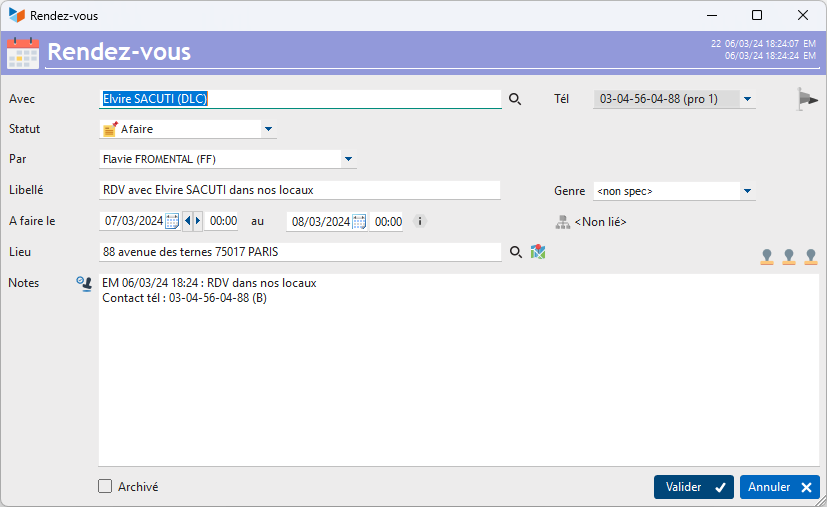
Above, an example of a “Work” type action sheet.
The To be done on and to fields allow you to define a completion range for the action. If hours are entered, the action can be displayed in the schedule.
The number of days in the Show field allows this action to be displayed X days before it must be carried out, in the todo list. Indeed, certain actions must be carried out before their planned completion date.
Check the Archived box to not display the action in the list of actions on the contact list screen.
Express list of actions
Access: Activity → Actions → Express list

The objective of this screen is to offer a practical and quick tool to people who are expected to use actions intensively, and especially salespeople. For the record, it initially only managed phones, then we added all other types of actions to it.
The screen presents the latest actions to be carried out, with a play of colors making it easy to identify the actions to be done for the day, those which have priority, those which are overdue.
Purification of actions
Access: via Tools → Administration → Data processing → Actions → Action purification
This program is only accessible to administrators.

This program allows you to permanently delete all actions up to the date specified in the Purge by field.
If a character string is specified in the Pure Lib field, only the actions containing this string in their description will be deleted.
Tips and tricks
 You can be notified of any modification, deletion, or change in action status. For example, if you create actions that must be assigned to someone else, it is possible to be notified when the action is completed by the person who must execute it, or to prohibit any action modification to a user other than the one who must carry it out or who created it. For this, see the general parameterization of Gestan.
You can declare an unlimited number of types of actions via the configurable labels screen.
Note that it is possible for a user to delete a system message intended for them, even if they do not have the rights to delete their own actions. Conversely, it is not possible to delete a system action intended for another user, even if the deleting user has all rights.
 Other Activity articles