Table des matières
Printing labels
 A1 proofreading not yet effective for this page. In the meantime, you can ask any questions on the forum.
It is possible to edit:
- address labels corresponding to a series of parts. For example, in the list of invoices screen, you select those that interest you, and you can print the corresponding address labels, in order to send these invoices by mail (or the corresponding packages)
- product labels corresponding to a series of parts. For example, in the receipt list screen, you select a series of receipts, and you can print the corresponding product labels, in order to label these products to put them on your shelves
- shipping labels for packages, via the ETIQEXPED extension.
If the labels you want are not in the list of available labels, you can
- export the data necessary for these labels (via the spreadsheet export menu) and use them with the label editing software that was sold to you with your label printer or with your label sheets.
- have your specific labels developed (billable service) by sending your request to the development team.
Address labels
//**Access: ** // From the context menu of the parts lists: //For selection → Print labels → Address → // then option to choose.
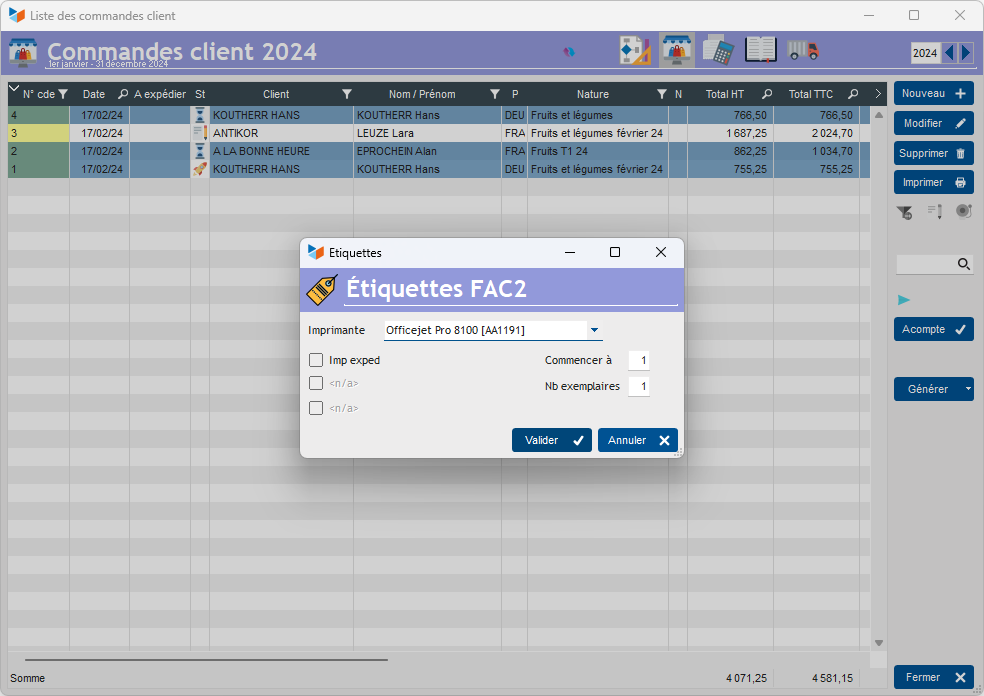
A label is printed for each selected part (here customer orders).
The Start at field allows you to postpone the printing of the first label, to be able to use partially used label sheets.
Below are the formats currently available. If you want other formats, you can send your request to Gestan technical services (specific development billable.)
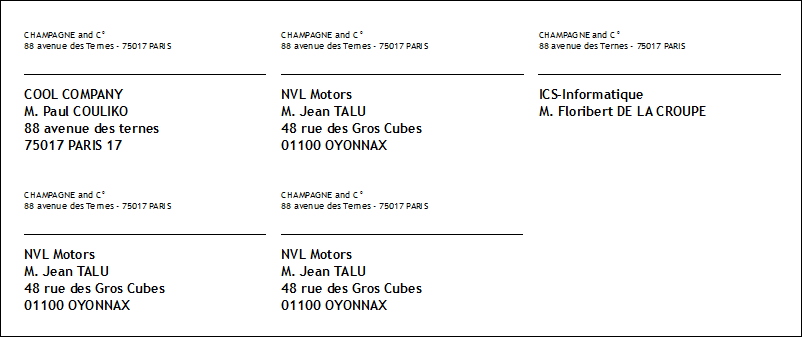
ETQ-FAC2 with sender address
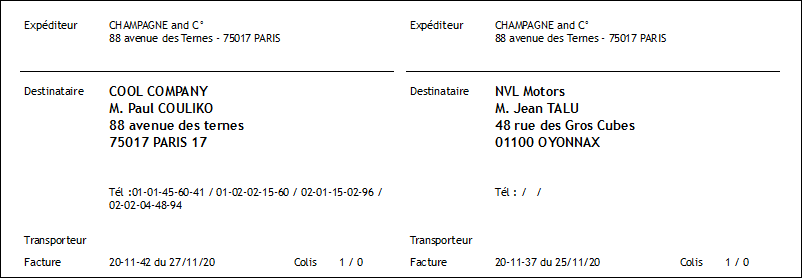
ETQ-FAC1, with packaging and carrier
ETQ-FAC1: labels based on thirds of parts. They are designed to print on 70*42 format labels (3 columns, 21 labels per page)
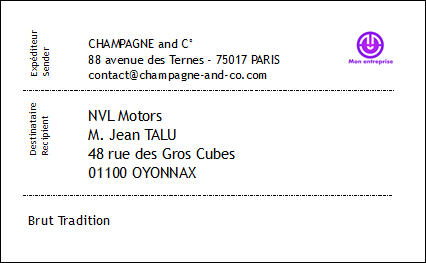
ETQ 89x36 address (on roll labels, 1 label per piece)

ETQ 96x56 address (on roll labels, 1 label per piece)
Product labels
//**Access: ** // From the context menu of the parts lists: //For selection → Print labels → Address → // then option to choose.
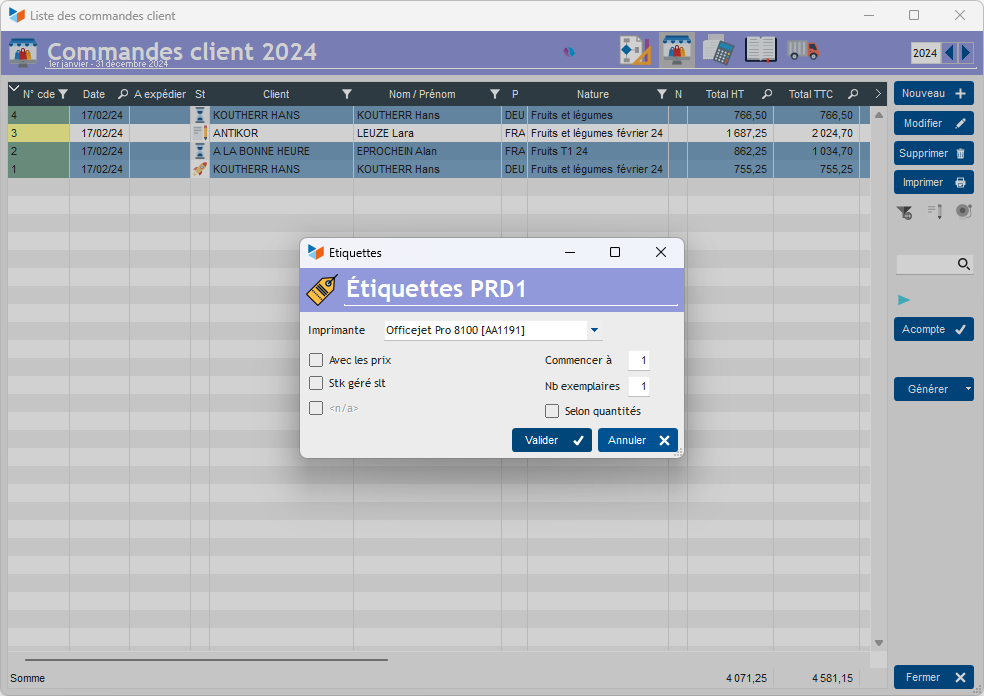
A label is printed for each product of each selected part.
If the Number of copies option is chosen, the number of labels printed per product is the number of lines in the product, multiplied by the number of copies requested.
If the By quantities option is chosen, the number of labels printed is calculated according to the quantity of the products concerned, according to their unit.
Let's take an example.
You have selected two identical parts, containing two lines:
- 3 of product A, whose sales unit is unit
- 1 of product B, the sales unit of which is the pack of three.
In the options for the “Pack of three” sales unit, you indicated that 3 labels were required for this unit.
If you request 2 via the Number of copies option, 12 (3+3*2) labels from product A and 4 (1+1*2) labels from product B will be printed.
If you choose the Depending on quantities option, 6 (3+3) labels for product A and 6 (1*3+1*3) labels for product B will be printed.
Below are the formats currently available. If you want other formats, you can send your request to Gestan technical services (specific development billable.)
The Export raw data option allows you to generate a GESTAN_ETIQUETTES_xxxxxxxx.csv file, containing all the necessary data, which you can use in any label printing software (generally sold with the printer or the printing sheets). 'labels) or in any word processor capable of mail merge.
ETQ-PRD1
ETQ-PRD1: labels based on part products. They are designed to print on labels in 99*67.7 format (2 columns, 8 labels per page)

ETQ-38x25
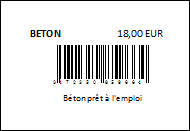
ETQ-60x40
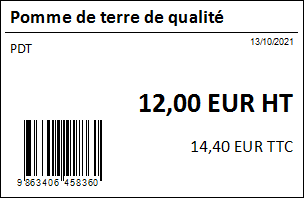
ETQ-89x36
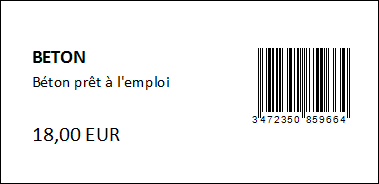
ETQ-90x29
 Other “Admin” articles
Benchmark readings
Change history
Cleaning C/S connections
Customer account
Data audit
Deactivatable messages
Enterprise License
Free Gestan licenses
Gestan extensions
Installing Gestan
License extensions
Migrate your current ERP to Gestan
Multilingualism
Network Computers
Printing labels
Sessions
Test base