Table des matières
Import account assignments
 A1 proofreading not yet effective for this page. In the meantime, you can ask any questions on the forum.
During installation, Gestan loads imputations by default.
But in order to use a classification more suited to your uses, it is possible
- to download allocations adapted to your business
- to import any list of imputations into Gestan via a text file.
This program is reserved for users with administrative privileges. As with all programs performing mass updates, it is recommended to make a backup of the database before use, or to carry out the operation on a test database before launching the operation on a production database.
Downloading account assignments
**Access: ** Tools → Accounting settings → Imputations, // then context menu of the list of allocations→ Download allocations //
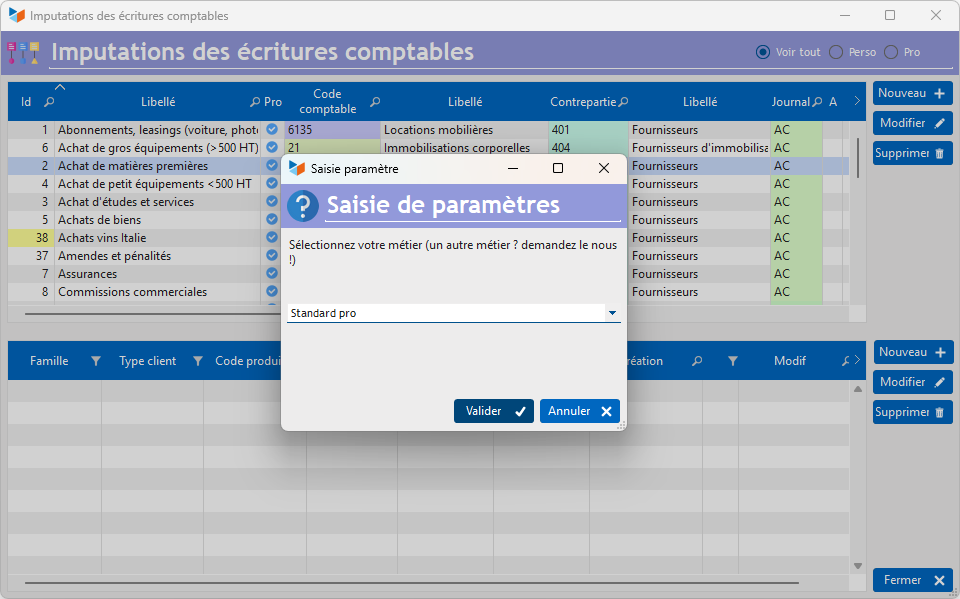
With this option, you can directly download imputations:
- Pro standard (for professional standard use)
- Personal standard (for personal standard use)
- Building
- Hotel
- Transportation
- Viticulture
- Chablis (for viticulture in the Chablis region)
 If your profession is not in this list, you can ask your accountant and send it to us so that we include it in the files available for download.
Loading a text file
**Access: ** Tools → Accounting settings → Allocations, //
then context menu of the allocation list //→ Load allocations
Gestan will then ask you to select an imputation import file.
This file must be a delimited text file (TAB, comma, semicolon, or any other character). To do this, you can use a spreadsheet like LibreOffice Calc or Microsoft Excel (remember to save the file in text format with separator), or even a simple word processor like Notepad, PSPad, NotePad++, etc. It must have the columns as described below:
- the wording of the imputations
- an indicator for professional (1) or personal (0) imputations
- the accounting code
- the counterparty code
- possibly the log code
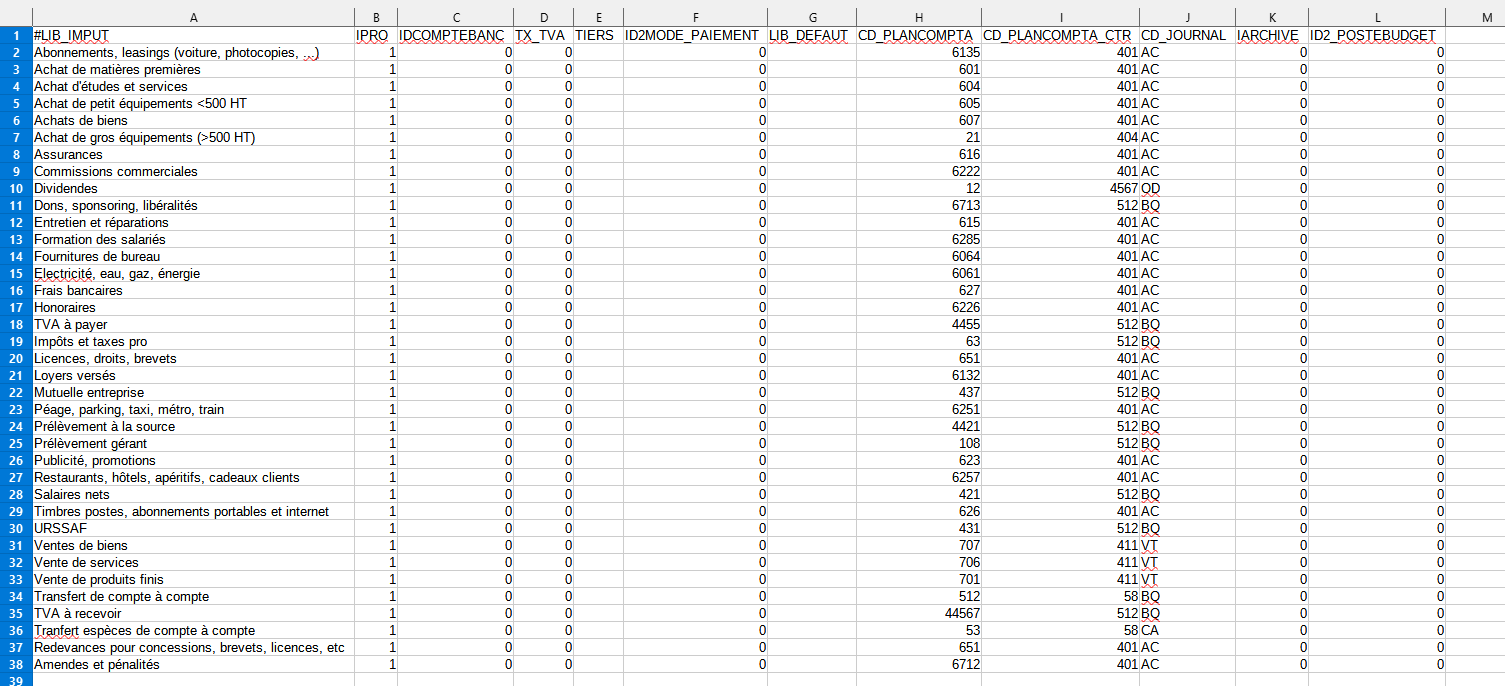
Any line starting with the character “#” will be considered a comment.
The selection screen below will then be displayed:
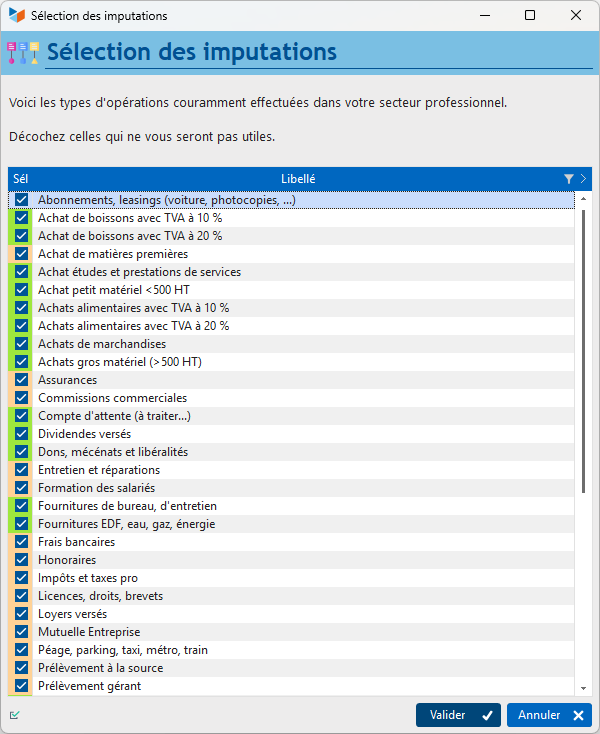
The Validate button will trigger the import of allocations whose Sel box is checked.
 Other “Tools” articles
Connection to Gestan
Database minimization
Export Gestan database
Gestan base import
Gestan directory structure
Gestan on a USB stick
Gestan Versions
Import a chart of accounts
Import account assignments
Import contracts into Gestan
Import Google/Outlook/Notes contacts
Import parts into Gestan
Import product translations
Importing data into Gestan
Maintenance of HFSQL files
Mass Parts Removal
Quick start
Reallocation of contacts by region
Reassignment of users
Rebooking entries
Reset additional fields
Reset categories
Resetting files
Tips and tricks
Transfer your data to technical support
Zip the base