Ceci est une ancienne révision du document !
COMMISSIONSCO: Sales commissions * *
 MIGRATION TO A1 FORMAT IN PROGRESS.
Overview
This extension calculates sales commissions over a date range based on sales amounts or quantities sold, according to commission rules defined by tiers.
Settings
Access: Tools→Application settings→Extension settings→Sales commissions
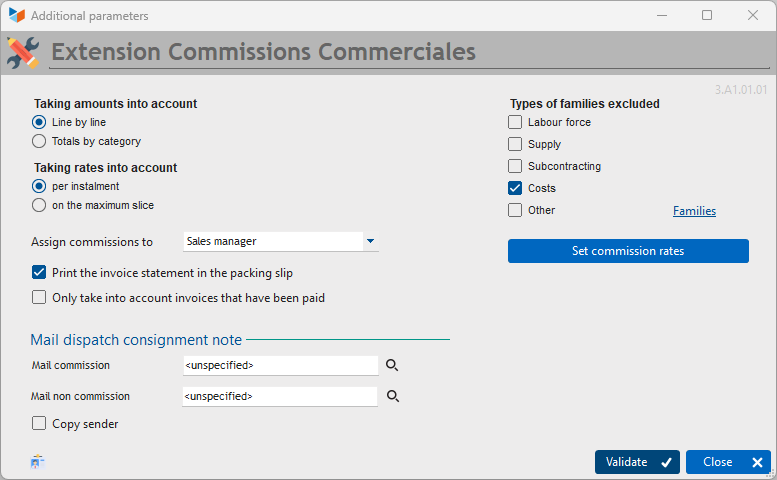
The Amounts taken into account selector allows you to specify how commissions are calculated.
- Either the calculation is performed line by line, in which case, if a sales representative issues an invoice for 100 and an invoice for 200, they will receive the commission corresponding to 100 and the commission corresponding to 200.
- Or the calculation is performed on the totals per category. In this case, if a sales representative issues an invoice for £100 and an invoice for £200, they will receive the commission corresponding to an amount of £300.
The Rate consideration selector allows you to specify how commissions are calculated. * Either the commission will be calculated bracket by bracket according to the defined rates (for example, 1000 * 10%, and 1250 * 15% if the sales representative has achieved 2250).
- or the commission is calculated at the maximum bracket rate (e.g. 2,250 * 15% if the sales representative has achieved 2,250 and the next bracket is higher than 2,250).