Ceci est une ancienne révision du document !
OBJVENTE: Sales targets * *
 MIGRATION TO A1 FORMAT IN PROGRESS.
Overview
This extension allows you to set sales targets by product and by salesperson (registered as a Gestan user), and to compare the target with the actual results.
Entering targets
Access: Statistics→Sales targets→Enter targets
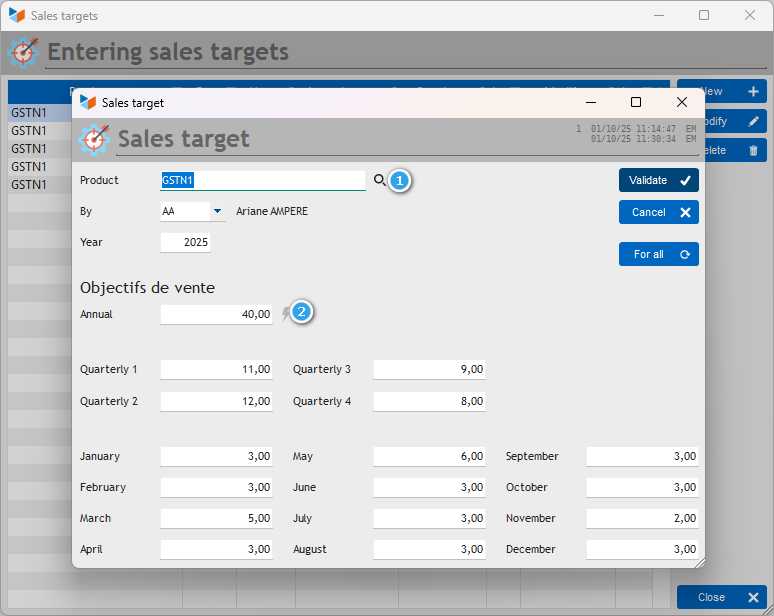
Targets are entered by calendar year. However, you can display the results by month, quarter, or year.
To do this, you must first select a product (the magnifying glass (1) opens the product selector, but you can enter the code directly), then a sales representative to whom the target is assigned.
You can then assign an annual target to them. If you click on the small lightning bolt (2), the annual target will be distributed evenly across the quarterly and monthly targets.
If you modify a monthly target, the quarterly and annual targets are recalculated.
The For all button assigns the displayed targets to all non-archived users (please note that any existing targets will be overwritten).