Table des matières
Payments
 A1 proofreading not yet effective for this page. In the meantime, you can ask any questions on the forum.
Gestan allows you to record payments made by your contacts.
Its a sort of reminder that allows you to record payments made by contacts for your association, for example.
Prerequisites
First activate payment management for the user: with the settings screen accessible via Enterprise→User options→Buttons, Menus, Widgets , check the box Payments.
Then, via Contact → Payments → Types of payments, open the management of payment types screen. The payment type allows you to save a default wording and amount, which will make entry easier.
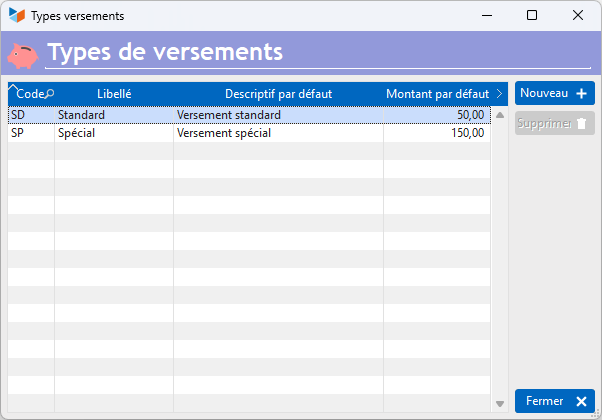
Finally, via the general parameter of Gestan, you have a combo allowing you to record additional information, for example the services to which the payment gives access.

Usage
**Access: ** via Contacts → Payments → List of payments.
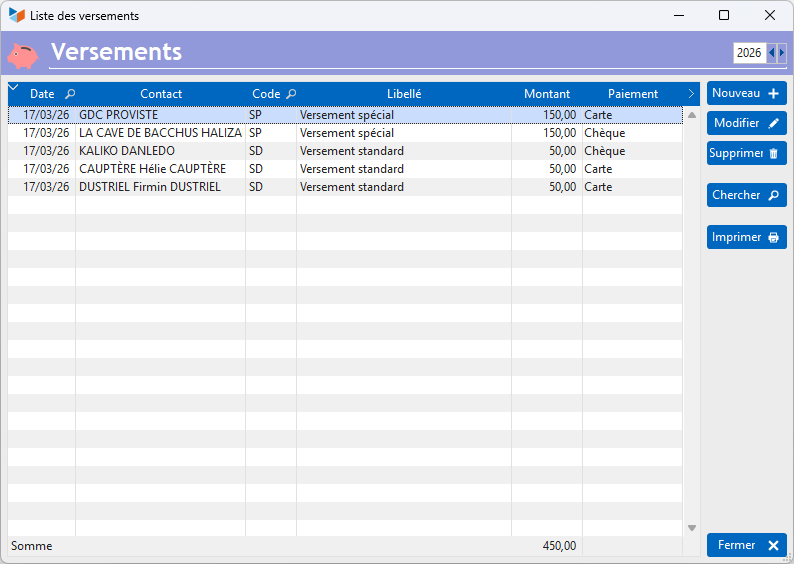
The screen presents the list of payments made.
The New button allows you to record a new payment. Please note, recording a payment does not create the corresponding receipt entry; it must be created separately.
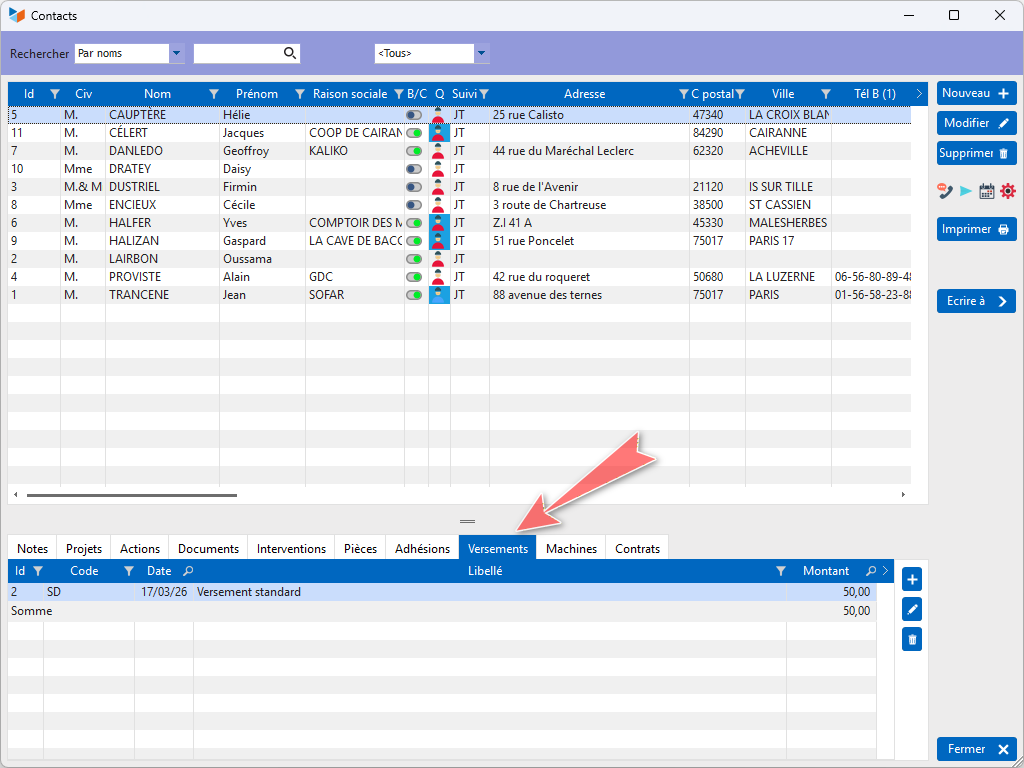
Display of the Payment tab of the contact list screen
You can display, or not, the “Payments” tab of the contact list screen via the configuration of user menu options screen.
 Other Accounting articles
Accounting document options
Accounting entries
Accounting entries
Accounting journals
Accounting links
Accounting settings
Accounting with Gestan: the main principles
Bad debts
Balance
Bank account statements
Bank or cash accounts
Billing by tax rate
Certification of cash register software - NF525 standard
Chart of accounts
Delivery of checks
Documents without imputation
Export CFONB
Fixed assets
General Ledger
Income and expenses
Income statement
Lettering
Log codes
Mass links: entries
Micro-Enterprise / Self-Enterprise
Payments
Pointing of supporting documents for VAT
Review entries
SEPA Export
Third party balance
VAT calculation
VAT orders
XIMPORT export of accounting data