Recalculate / clear / purify stocks
 A1 proofreading not yet effective for this page. In the meantime, you can ask any questions on the forum.
Recalculate stocks
**Access: ** Products→ Recalculate stocks
This program recalculates the current stock of all products.

In some cases of stock update error, Gestan may recommend checking current stocks using this program.
The Recalculation button recalculates the current stock for each product, by rereading all the stock movements recorded for the product.
Clear stock movements
**Access: ** Tools → Administration → Mass data processing → Stocks → Clear stocks
This program allows you to delete any stock movement prior to a date.

The number of stock movements can become very large, and their archiving beyond a certain period is not useful; it is interesting to clear them beyond a certain period in order to reduce the size of the database in deleting unnecessary records.
The Clear button will trigger:
- the deletion of all stock movements whose date is before or equal to the Clear to date.
- the creation of a clearance movement for each product concerned by the clearance of movements. This clearance movement will be carried out on each location concerned in the event of management of stock locations. The quantity brought to the clearance movement will be the sum of the quantities of the deleted movements.
For example if you have a product with:
- an entry from 10 to 01/01/2024,
- an entry from 20 to 02/01/2024,
- an exit from 10 to 01/04/2024,
- an entry from 10 to 01/06/2024,
a clearance on 05/01/2024, i.e. between movements 3 and 4, will delete movements 1 to 3, create a clearance movement with an entry of 30 (movements 1 and 2, minus movement 3) , and will update the current stock of the product to 40 (The clearance movement of 30 + the entry of 10 of movement 4).
Mass Deletion
This program deletes stock movements, based on a date range or a movement label.
This allows for example an error in importing stock movements. It is reserved for Gestan administrators.
**Access: ** Tools → Administration → Mass data processing → Stocks → Mass deletion
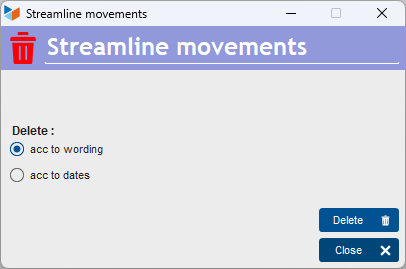
Deletion can be performed:
- based on a date range: all movements within the range are deleted
- depending on a character string: all movements including this string in their description are deleted
The Delete button starts the operation.
If you choose a very wide date range, for example from 01/01/1900 to 12/31/2050, you can use this program to delete all stock movements.
 After running this program, use the inventory recalculation program above.
Reset of stocks by family
This program resets stocks to zero, for all products, a family, or a sub-family.
**Access: ** Tools → Administration → Mass data processing → Stocks → Reset

You must select a family, possibly a subfamily, and click on the Reset button. The current stock of all the products concerned is set to zero, and all stock movements of this same product are deleted.
 Other “Stocks” articles