Anomalies
 A1 proofreading not yet effective for this page. In the meantime, you can ask any questions on the forum.
It is possible to manage anomalies relating to most of Gestan's major files:
- Contacts,
- Users,
- Products,
- all Parts (orders, quotes, invoices, etc.),
- Machinery,
- Scriptures,
- Interventions.
Anomaly management can be carried out in two modes:
- simple mode, in which we simply note the anomaly and its status
- the detailed mode, in which we note the anomaly, as well as all the stages of its resolution
Activation of anomaly management, as well as configuration of the management mode, is carried out via General settings.
Anomaly management is essential if you want an ISO9000 or other label for your company.
Using the screen

From most screens, the context menu displays an item Anomalies (here, on the contact list)
If no anomaly has been recorded, the creation screen is displayed. If one or more anomalies were not completed, the list of anomalies linked to the contact screen would be displayed.
In simple mode
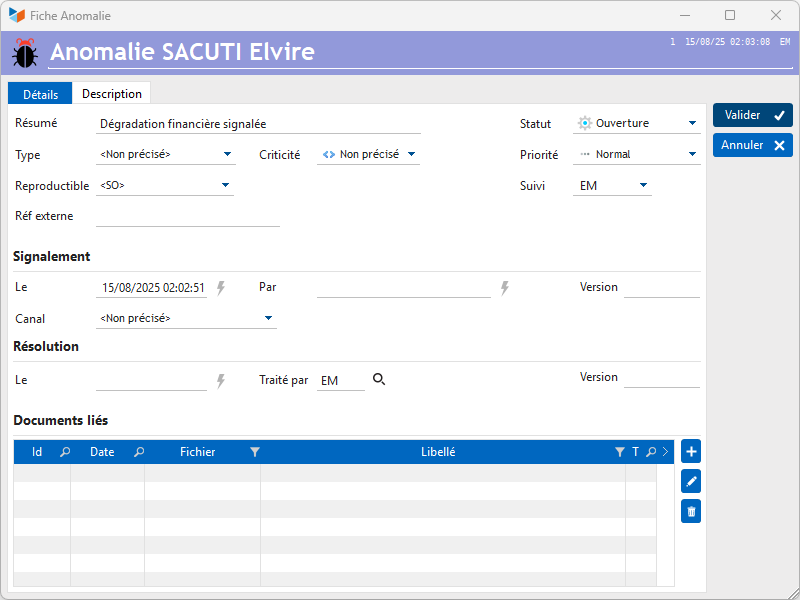
This screen allows you to precisely describe the anomaly, and especially its status, via the Details tab.
It is possible to attach documents (photos, spreadsheet or word processing files, PDF, etc.) via the Documents tab.
In detailed mode

In detailed mode, the additional Steps tab allows you to follow the different stages of resolving the anomaly.
 Other articles “Miscellaneous functions”