Rentals / Loans (multi-lines)
 A1 proofreading not yet effective for this page. In the meantime, you can ask any questions on the forum.
With Gestan you can register and invoice any equipment rental, whether bicycles, musical instruments, hotel rooms, boat or caravan pitches, etc.
Gestan is suitable for:
- single-line rentals: for example, you rent pianos, generally only one piano per rental
- multi-line rentals: for example, you rent sound equipment, always several pieces of equipment per rental.
List of rentals
Prerequisites: in the general configuration, machine tab, declare machines-location.
Access: Activities → Rentals
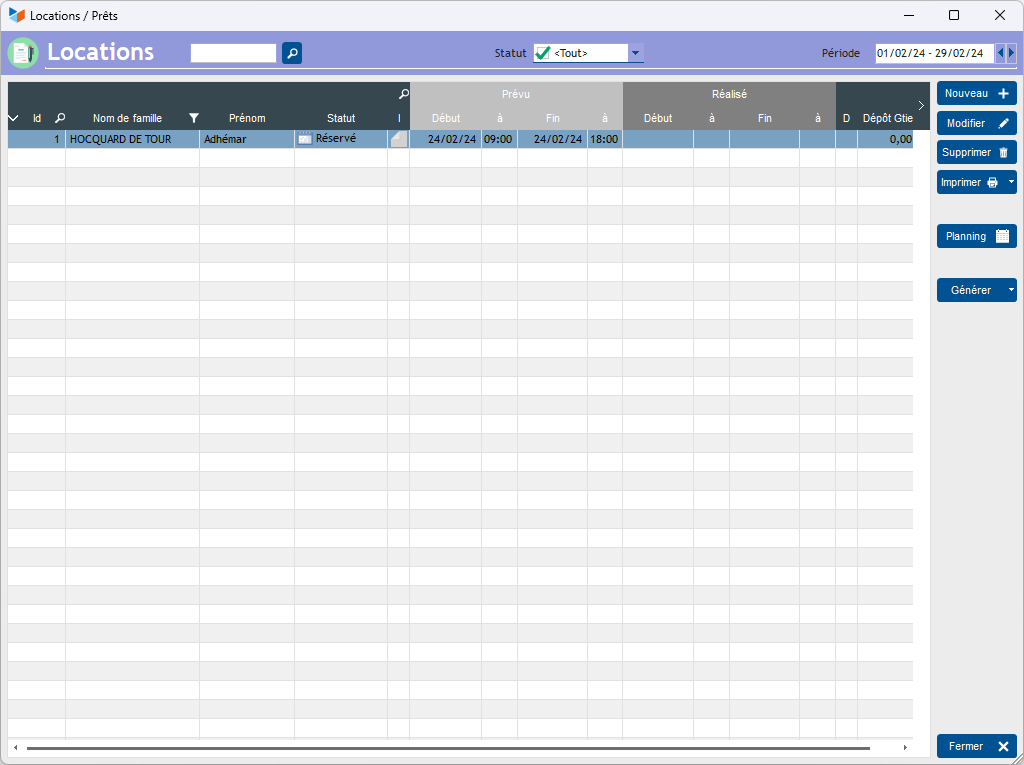
It presents the list of rentals for the selected period.
The Type column displays the type of equipment (and not the type of rental).
The Gen Fact button allows you to generate the invoice automatically for the selected rental. The method of calculating invoiced durations is detailed here.
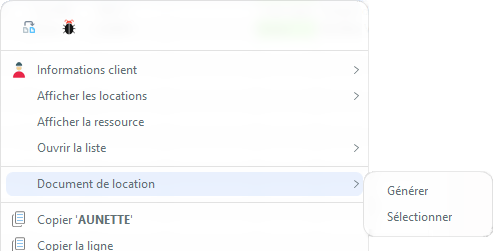
The contextual menu of the table allows you to position an Anomaly on any location.
It also allows you to edit a Rental Document (typically, a rental contract, but it can also be a user manual, connection codes, etc.).
The rental sheet
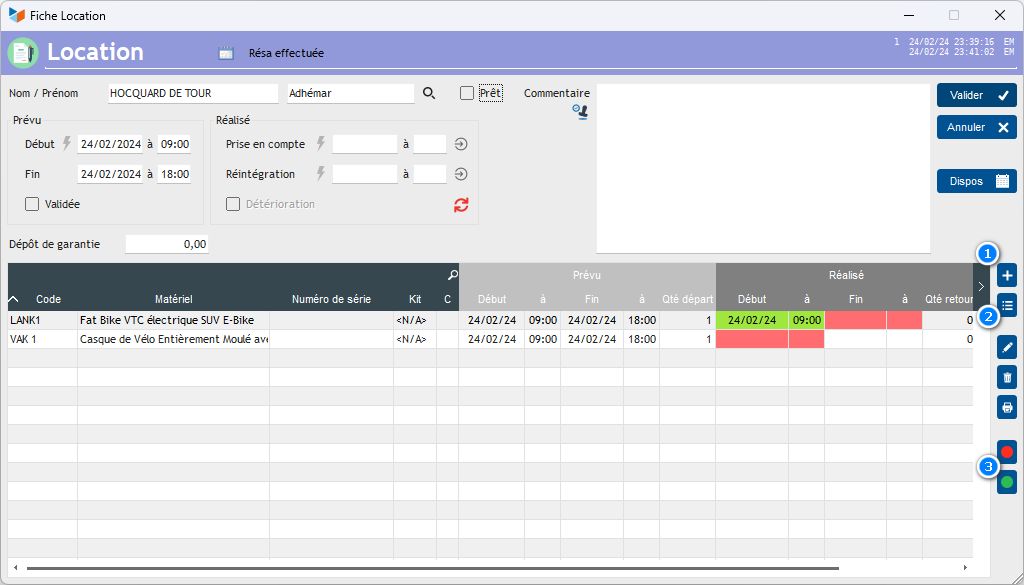
The rental sheet displays the different items linked to the selected rental.
It is possible to add items via the 1 button or to delete them.
If kits (machine sets) are managed, the 2 button will be displayed, and will allow machine kits to be entered.
It is possible to manually specify a rental start and end date on the item sheet, but there is also a dedicated screen for recording collection or reinstatement of equipment, available via the 3 buttons. .
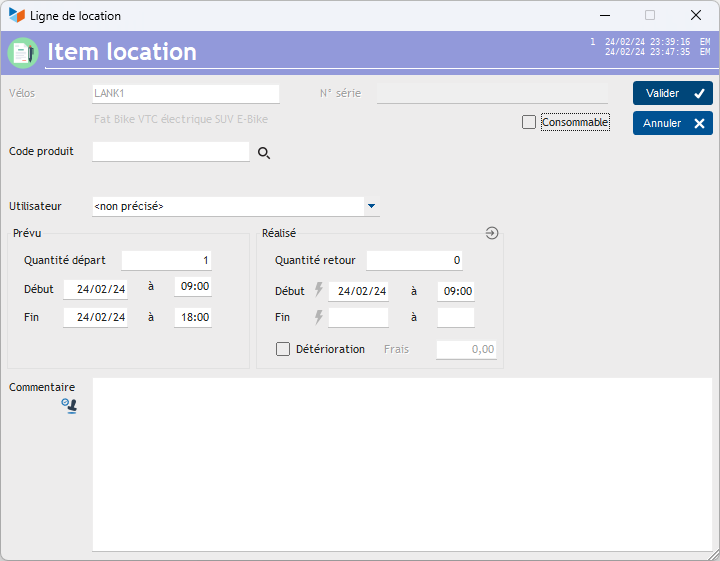
If the Deterioration box is checked, it is then possible to enter an amount for restoration costs. These costs, if the rental is invoiced, will be included on the invoice under the same product code as that to which the deterioration relates.
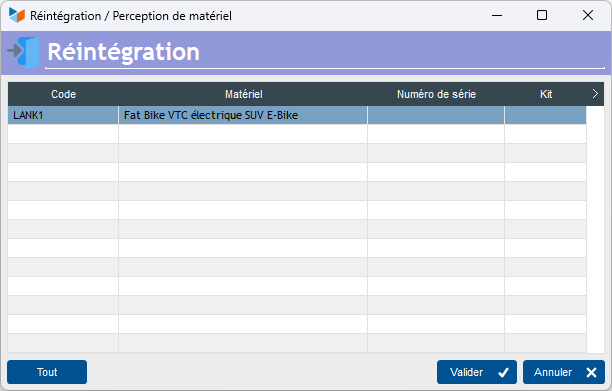
The lines displayed on the dedicated screen for recording perception or reintegration of material correspond to the materials to be perceived, or to be reintegrated depending on the case. It is possible to use double-click, or a laser handheld (the check would be made against the product code). The All button allows you to take everything into account at once.
 Other “Machines” articles