Delivery notes (DN)
 A1 proofreading not yet effective for this page. In the meantime, you can ask any questions on the forum.
Delivery notes (DNs) are documents that attest to the delivery of products to customers.
List of delivery notes
The list of delivery notes screen displays all the DNs established during the calendar year or the financial year displayed in the parameter (if the first financial year date declared in the application settings is not January 1st).
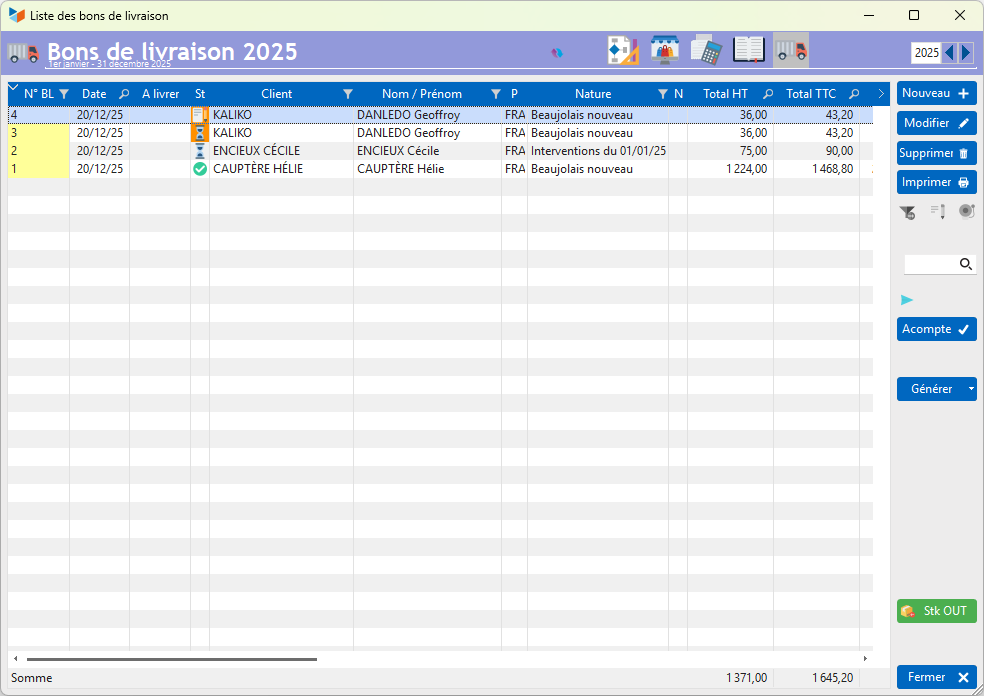
The Deposit button allows you to enter a deposit attached to the DN. When transforming the DN into an Invoice, the deposit will be linked to the invoice.
The Generate button allows you to create, from one or more DNs:
- a customer invoice
- a receipt note (for example, to record a return of goods made available to a customer for a defined period)
In this example the Stk out button is displayed, which allows you to destock. See the part stock management with Gestan.
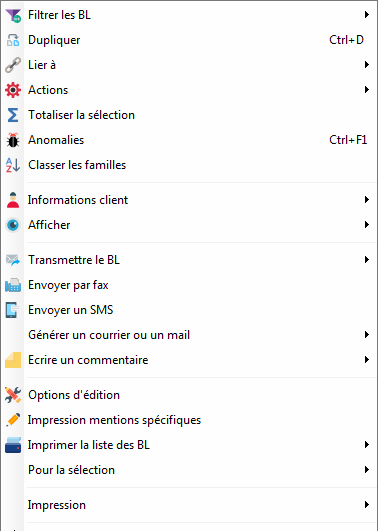
Context menu of the DN table
Delivery note form
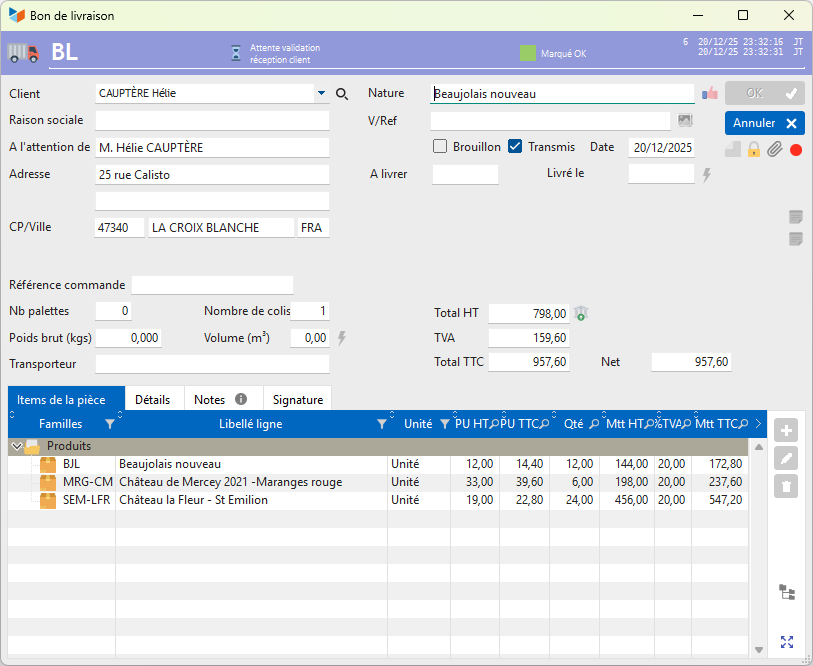
By default, the delivery address appears on the DN (you can indicate another address).
If you wish to have the DN delivered to another contact, for example when you place an order with a supplier, and you want your order to be delivered directly to your end customer and not to yourself, it is possible to using the choose a contact for delivery option (via the context menu of the Customer combo), select another contact.
You can specify the characteristic elements of the delivery: the number of pallets, the number of packages, the gross weight, the volume, and the carrier .
The Signature tab allows you to have the DN transport manager or the customer sign on a touch screen or tablet.
Modification of a DN is freely authorized, as long as it is not transmitted to the client or validated. Otherwise, only users with administrator privileges can make it modifiable again, by clearing the validation date and unchecking the “Transmitted” box.
Deleting a DN is allowed for all users.
Compliance indicator
At the top of the screen is a compliance indicator 1.
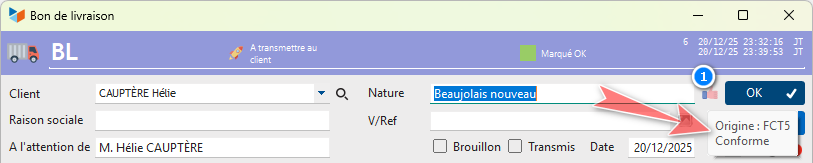
Here, the indicator indicates that the current DN 1 was generated from quote 2, and that the products of DN 1 and quote 2 are identical in items and quantities.

Here, the indicator signals that the current DN 2 was generated from invoice 11, but that the DN does not conform to the invoice:
- there is a POELE product in DN 2 which did not appear in invoice 11
- there is a MARMITE product in invoice 11 which has not been reported in DN 2
 Please note, this indicator only indicates the correspondence between a DN or a RV, and the parts from which it was generated. It does not calculate the balances which depend on past stock movements, or not. You can click on the compliance indicator to display the list of resale items.
 Other Customer Billing articles
Billing: common elements