Digital certification of invoices
 A1 proofreading not yet effective for this page. In the meantime, you can ask any questions on the forum.
With Gestan, you can digitally certify your invoices with an SSL certificate.
On this subject, two articles recommended below:
Prerequisites
You must have a digital certificate.
To do this, you can either generate a certificate yourself or purchase one from one of the many suppliers available.
You do not know how ? This article can help you.
Settings
Once the certificate is installed, it will be visible using the general Gestan settings.
Simply specify which certificate you want to use, via the identity tab.
The result
In the status viewer, a pictogram will indicate the successful application of the SSL certificate.
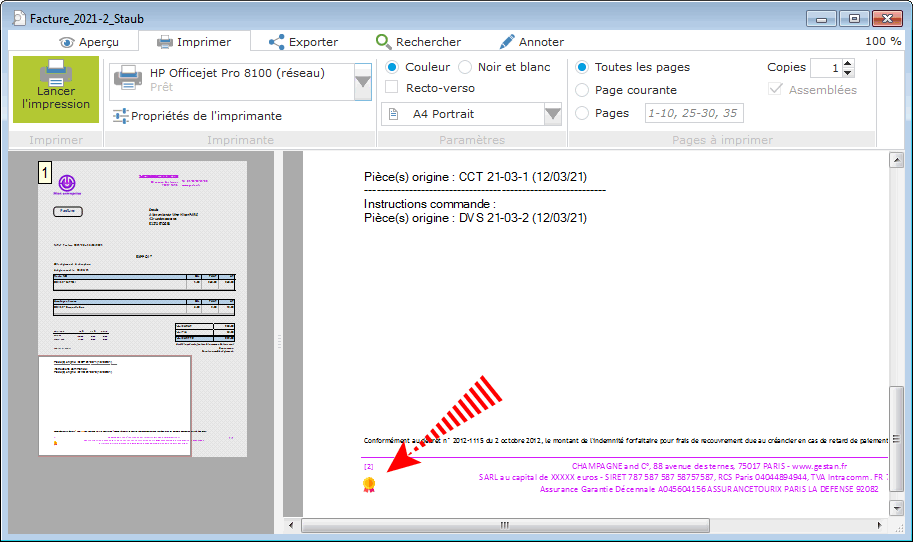
When you export the invoice to PDF (or send it by email via Gestan), the signature will be generated and integrated into the product file.
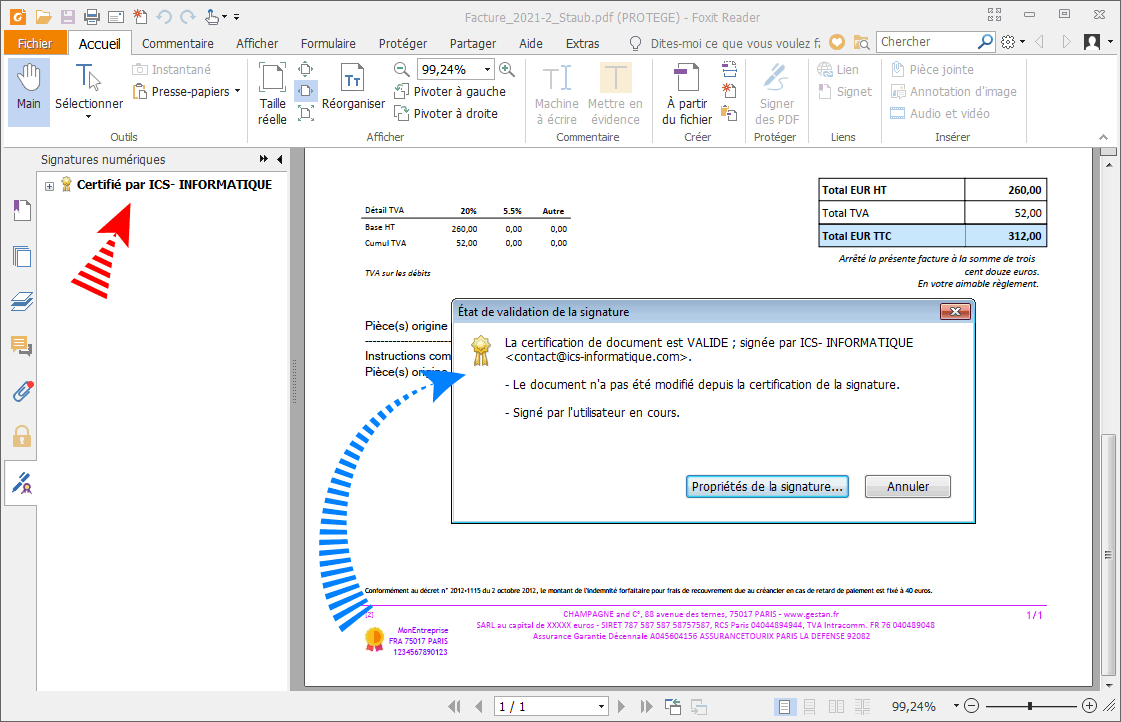
It appears as a clickable area at the bottom of the first page, with the same pictogram.
A click on this signature displays its characteristics.
 Other Customer Billing articles
Billing: common elements